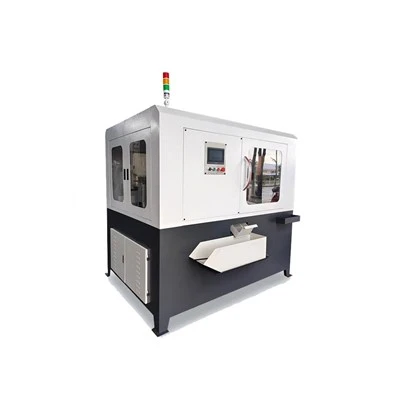
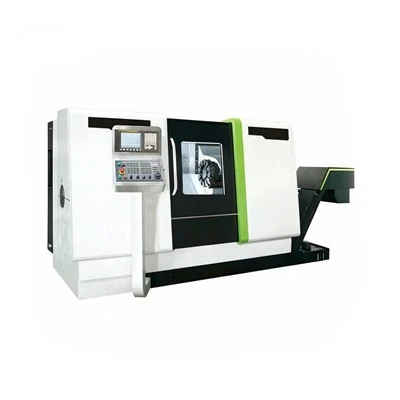
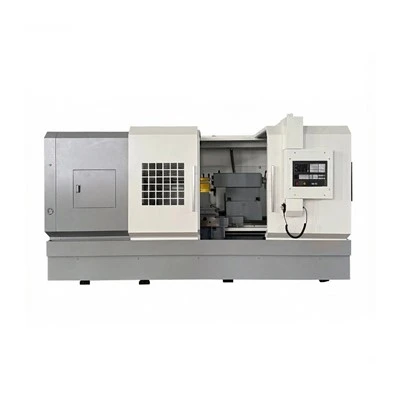
As a trusted supplier of Large CNC Lathe, I understand the importance of keeping these sophisticated machines in optimal working condition. Electrical problems can be a significant headache for operators, leading to downtime, reduced productivity, and potential safety hazards. In this blog post, I'll share some valuable insights and practical tips on how to troubleshoot electrical issues in a large CNC lathe effectively.


Understanding the Electrical System of a Large CNC Lathe
Before diving into troubleshooting, it's crucial to have a basic understanding of the electrical system in a large CNC lathe. The electrical system typically consists of several key components, including:
- Power Supply: This provides the necessary electrical energy to the machine. It usually includes a main circuit breaker, transformers, and power distribution panels.
- Control System: The control system manages the operation of the CNC lathe, including the movement of axes, spindle speed control, and tool selection. It often consists of a programmable logic controller (PLC), a computerized numerical control (CNC) unit, and various sensors and actuators.
- Servo Drives and Motors: These components are responsible for precise movement control of the axes and spindle. Servo drives receive commands from the control system and convert them into electrical signals to drive the motors.
- Wiring and Connectors: The wiring and connectors transmit electrical signals between different components of the machine. Loose connections, damaged wires, or corroded terminals can cause electrical problems.
Troubleshooting Steps
Step 1: Safety First
Before performing any electrical troubleshooting, ensure that the machine is powered off and isolated from the electrical supply. This will prevent the risk of electrical shock and protect both you and the equipment. Use appropriate personal protective equipment (PPE), such as insulated gloves and safety glasses.
Step 2: Visual Inspection
Conduct a thorough visual inspection of the electrical system. Look for any obvious signs of damage, such as burnt wires, loose connections, or overheating components. Check the condition of the fuses, circuit breakers, and relays. If you notice any abnormalities, replace the damaged components immediately.
Step 3: Check the Power Supply
Verify that the machine is receiving the correct voltage and phase. Use a multimeter to measure the voltage at the main power supply terminals. If the voltage is outside the specified range, check the electrical panel and the incoming power supply. Ensure that all circuit breakers are in the "on" position and that the fuses are intact.
Step 4: Examine the Control System
The control system is the brain of the CNC lathe, so it's essential to check its functionality. Start by checking the display screen for error messages or alarm codes. Refer to the machine's manual or wiring diagram to interpret the error messages and identify the root cause of the problem. If the control system is not functioning correctly, check the communication cables, power supplies, and software settings.
Step 5: Inspect the Servo Drives and Motors
The servo drives and motors play a critical role in the precise movement control of the CNC lathe. Check the status lights on the servo drives for any error indicators. If a drive is showing an error, refer to the drive's manual for troubleshooting instructions. Inspect the motor connections and ensure that they are tight and secure. Check the motor windings for any signs of damage or short circuits using a multimeter.
Step 6: Test the Sensors and Actuators
Sensors and actuators are essential components of the CNC lathe's control system. They provide feedback on the position, speed, and other parameters of the machine. Use a multimeter or a sensor testing device to check the functionality of the sensors. Ensure that the actuators are operating correctly and that they are receiving the appropriate signals from the control system.
Step 7: Check the Wiring and Connectors
Loose connections, damaged wires, or corroded terminals can cause electrical problems in the CNC lathe. Inspect all the wiring and connectors in the machine. Look for any signs of wear, fraying, or damage. Tighten any loose connections and replace any damaged wires or connectors. Use electrical tape or heat shrink tubing to insulate the connections properly.
Step 8: Perform Functional Tests
Once you have completed the visual inspection and component checks, perform functional tests on the CNC lathe. Power on the machine and run some simple programs to verify that all the axes are moving correctly, the spindle is running at the correct speed, and the tools are being selected and changed properly. If any issues persist, repeat the troubleshooting steps or consult the machine's technical support team.
Common Electrical Problems and Solutions
Problem 1: Machine Does Not Power On
- Possible Causes: Faulty power supply, tripped circuit breaker, blown fuse, or damaged power cord.
- Solutions: Check the power supply voltage and ensure that it is within the specified range. Reset the circuit breaker or replace the blown fuse. Inspect the power cord for any damage and replace it if necessary.
Problem 2: Error Messages on the Control Screen
- Possible Causes: Software glitches, communication errors, sensor malfunctions, or electrical shorts.
- Solutions: Refer to the machine's manual or wiring diagram to interpret the error messages. Check the communication cables, power supplies, and software settings. Reset the control system and run diagnostic tests to identify the root cause of the problem.
Problem 3: Axes Do Not Move or Move Erratically
- Possible Causes: Faulty servo drives, motors, or encoders; loose or damaged wiring; or incorrect parameter settings.
- Solutions: Check the status lights on the servo drives for any error indicators. Inspect the motor connections and ensure that they are tight and secure. Check the encoder feedback signals using a diagnostic tool. Adjust the parameter settings if necessary.
Problem 4: Spindle Does Not Run or Runs at the Wrong Speed
- Possible Causes: Faulty spindle drive, motor, or speed sensor; incorrect parameter settings; or mechanical issues.
- Solutions: Check the status lights on the spindle drive for any error indicators. Inspect the motor connections and ensure that they are tight and secure. Check the speed sensor for proper operation. Adjust the parameter settings if necessary. If the problem persists, check for mechanical issues such as a worn belt or a damaged pulley.
Problem 5: Tool Changer Malfunctions
- Possible Causes: Faulty tool changer drive, sensors, or actuators; incorrect tool offsets; or mechanical issues.
- Solutions: Check the status lights on the tool changer drive for any error indicators. Inspect the sensors and actuators for proper operation. Check the tool offsets and ensure that they are set correctly. If the problem persists, check for mechanical issues such as a jammed tool holder or a damaged tool changer mechanism.
Conclusion
Troubleshooting electrical problems in a large CNC lathe requires a systematic approach and a good understanding of the machine's electrical system. By following the steps outlined in this blog post and using the appropriate tools and diagnostic equipment, you can identify and resolve most electrical issues quickly and effectively. Remember to always prioritize safety and consult the machine's technical support team if you encounter any complex or persistent problems.
If you're in the market for a high-quality Large CNC Lathe, 5 Axis Turning Center, 5 Axis Gantry CNC Machine, Computer CNC Machine, or CNC Vertical Machining Center, we invite you to contact us to discuss your specific requirements. Our team of experts is ready to assist you in finding the perfect solution for your machining needs.
References
- Manufacturer's manuals and technical documentation for the large CNC lathe.
- Electrical engineering textbooks and reference materials.
- Online resources and forums dedicated to CNC machining and troubleshooting.